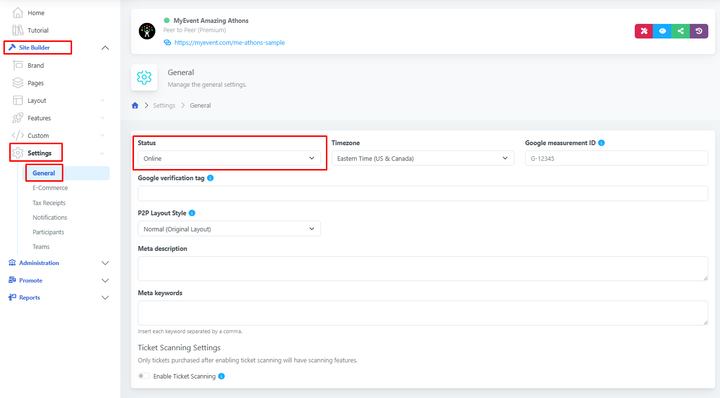
If you are still in the process of building your website and do not want it to be publicly accessible, you can keep it hidden at any time.
Simply navigate to Site Builder > Settings > General, locate the Status field, and set your website to hidden or public whenever needed.