La fecha de cierre determina cuándo finalizará oficialmente tu recaudación de fondos.
Después de esta fecha, tu página dejará de aceptar donaciones.
-
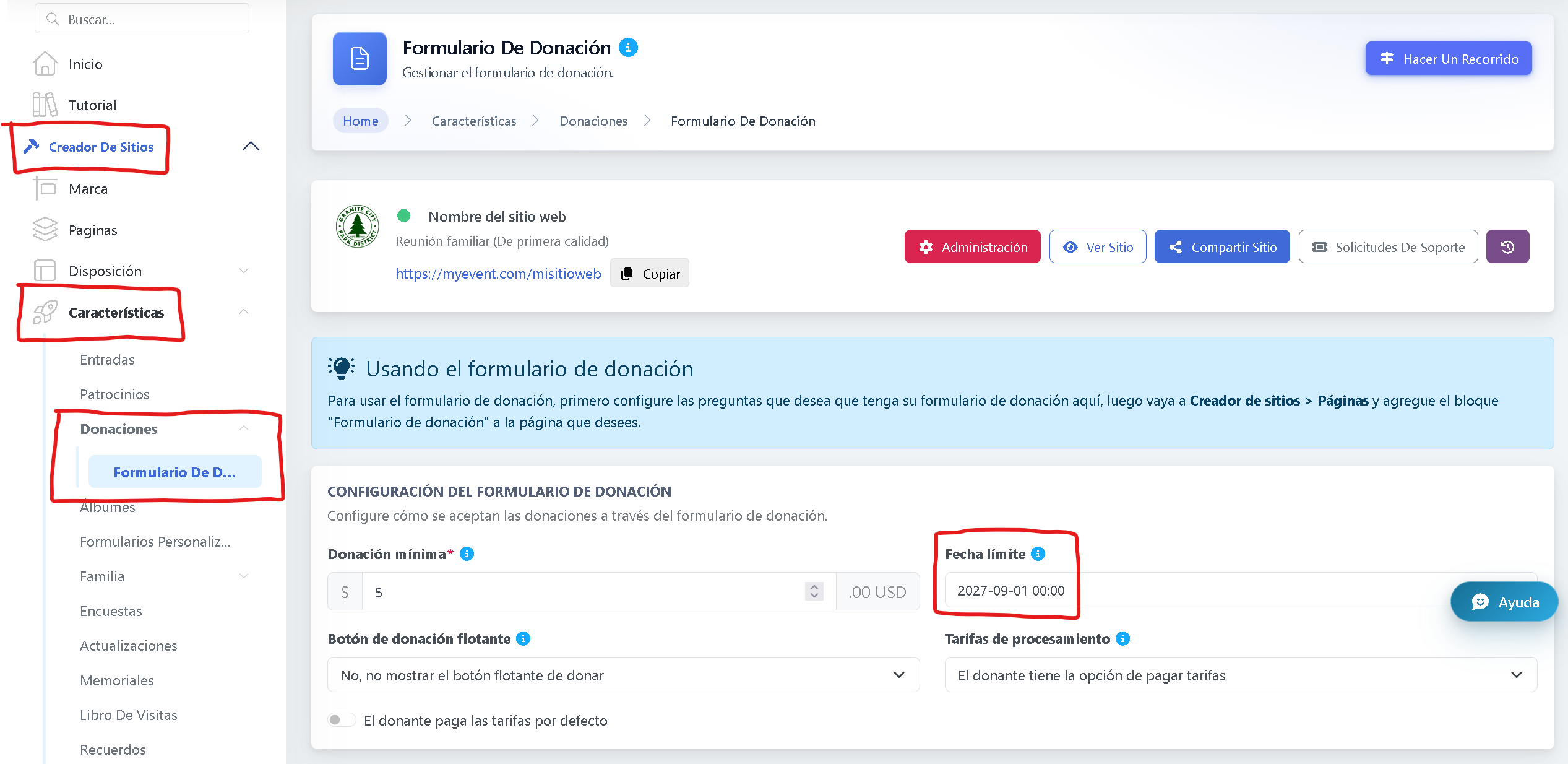
Para establecer o actualizar la fecha de cierre, ve a Creador de sitios.
-
Ve a Características.
-
Selecciona Donaciones > Formulario de donación.
-
Configura la Fecha de cierre que deseas.
Una vez guardadas, las donaciones se detendrán automáticamente después de la fecha seleccionada.