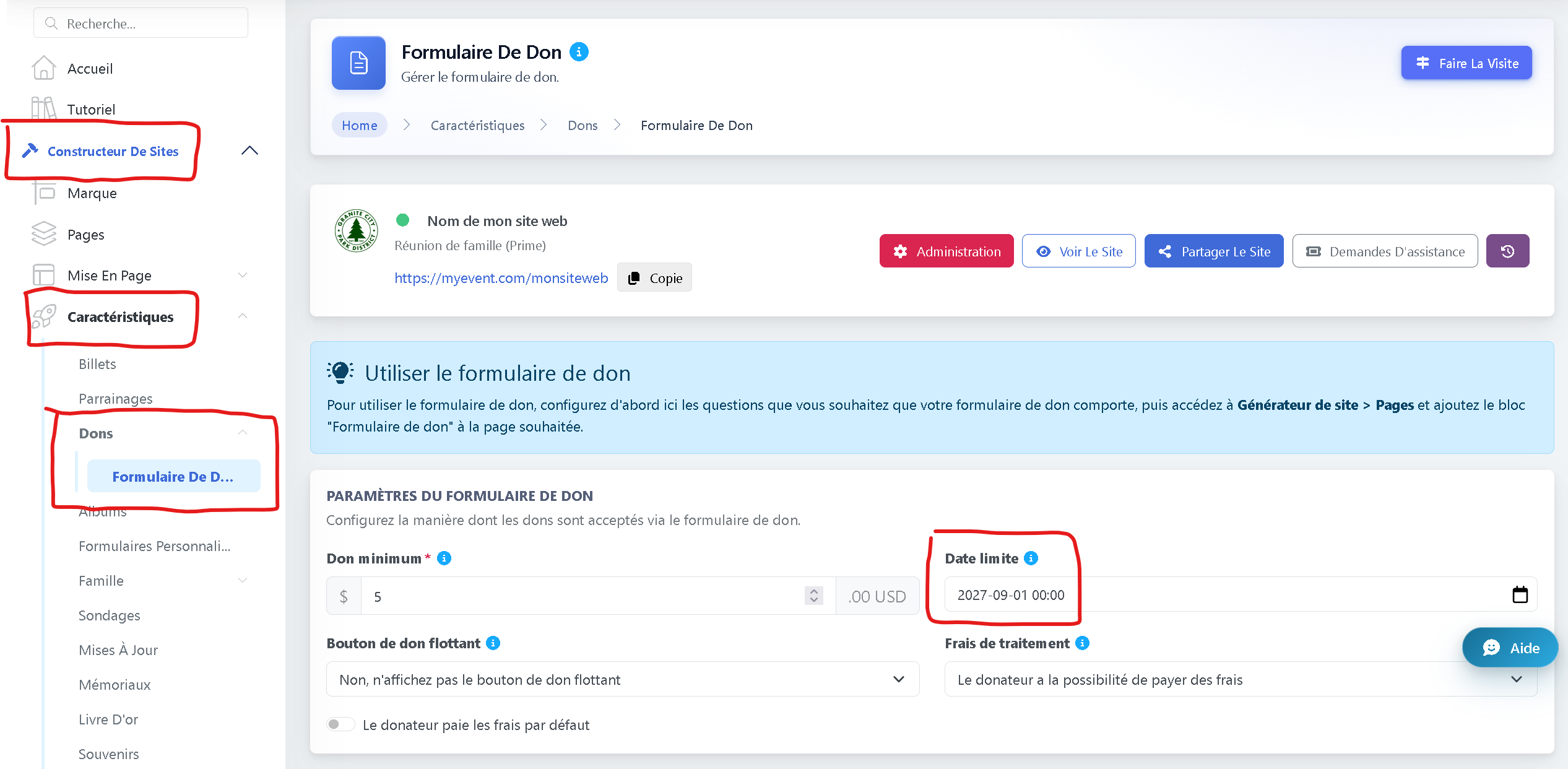
La date limite détermine quand votre collecte de fonds prendra officiellement fin.
Après cette date, votre page n'acceptera plus de dons.
-
Pour définir ou mettre à jour la date de fin, allez dans Constructeur de sites.
-
Accédez à Caractéristiques.
-
Sélectionnez Dons > Formulaire de don.
-
Définissez la Date limite souhaitée.
Une fois enregistrés, les dons s'arrêteront automatiquement après la date sélectionnée.