

Give someone access to help manage your site
You can invite someone to help manage your site by adding them as a manager. They'll receive an email invitation and create their own account to access your site.
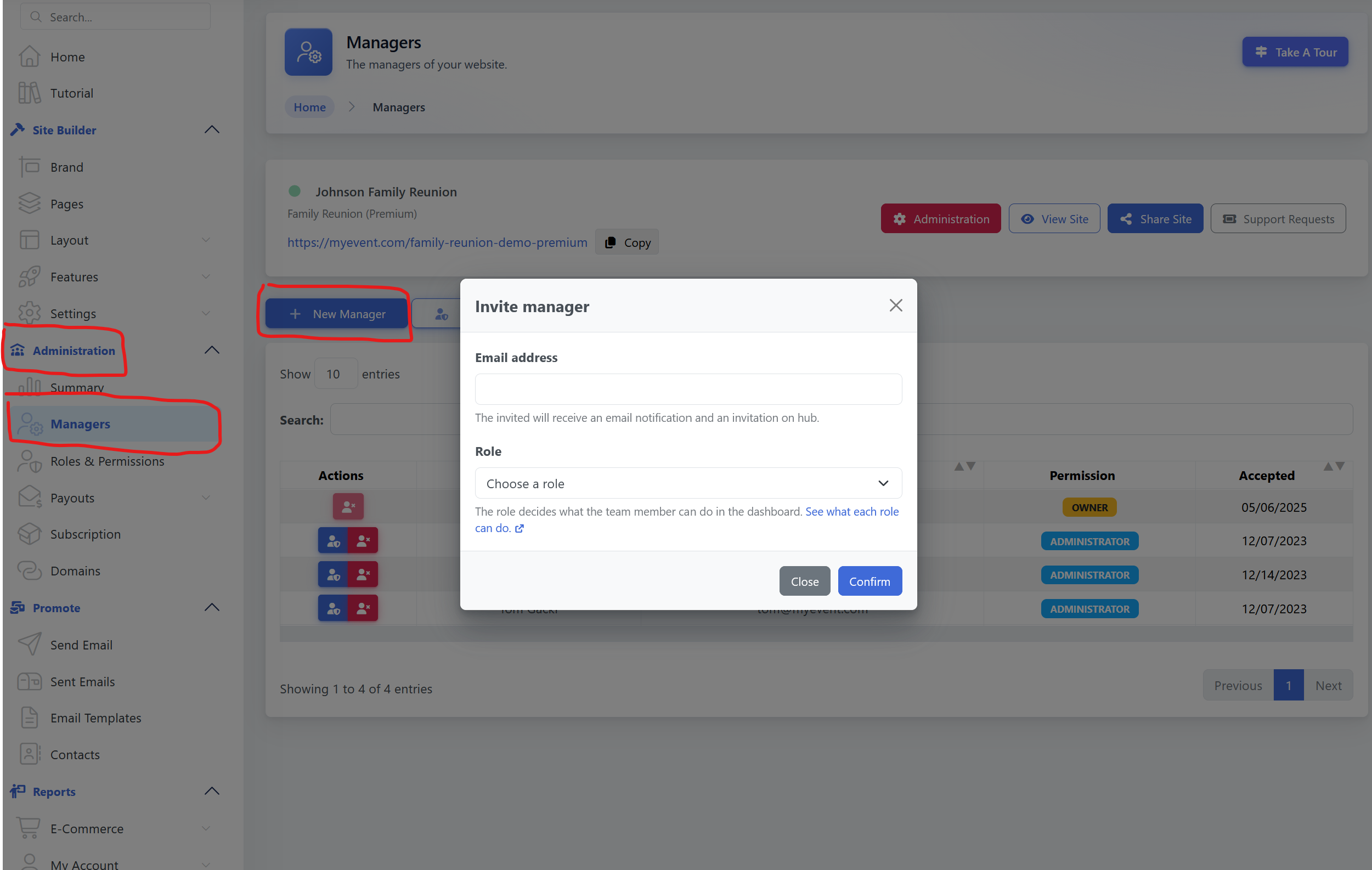
1. Go to Managers
From your dashboard, go to:
Administration → Managers
2. Click "New Manager"
Click the + New Manager button.
3. Enter their email address
Enter the email address of the person you want to invite. They'll receive an email invitation with instructions to join your site.
4. Choose a role
Select the role you want to give them from the Role drop-down menu.
The role determines what they can see and do on your site.
Not sure which role to choose?
See Roles & Permissions to learn more about each role and how permissions work.
5. Click "Confirm"
That's it! The person will receive their invitation by email.
They can create their MyEvent account and access the site you've invited them to manage.
Their access will be based on the role you selected.
Change or remove access
You can change someone's role or remove their access at any time from:
Administration → Managers
Changes take effect immediately.