

Need to cancel a broadcast email before it's sent?
No worries!
You have a 10-minute window to stop it before it goes out.
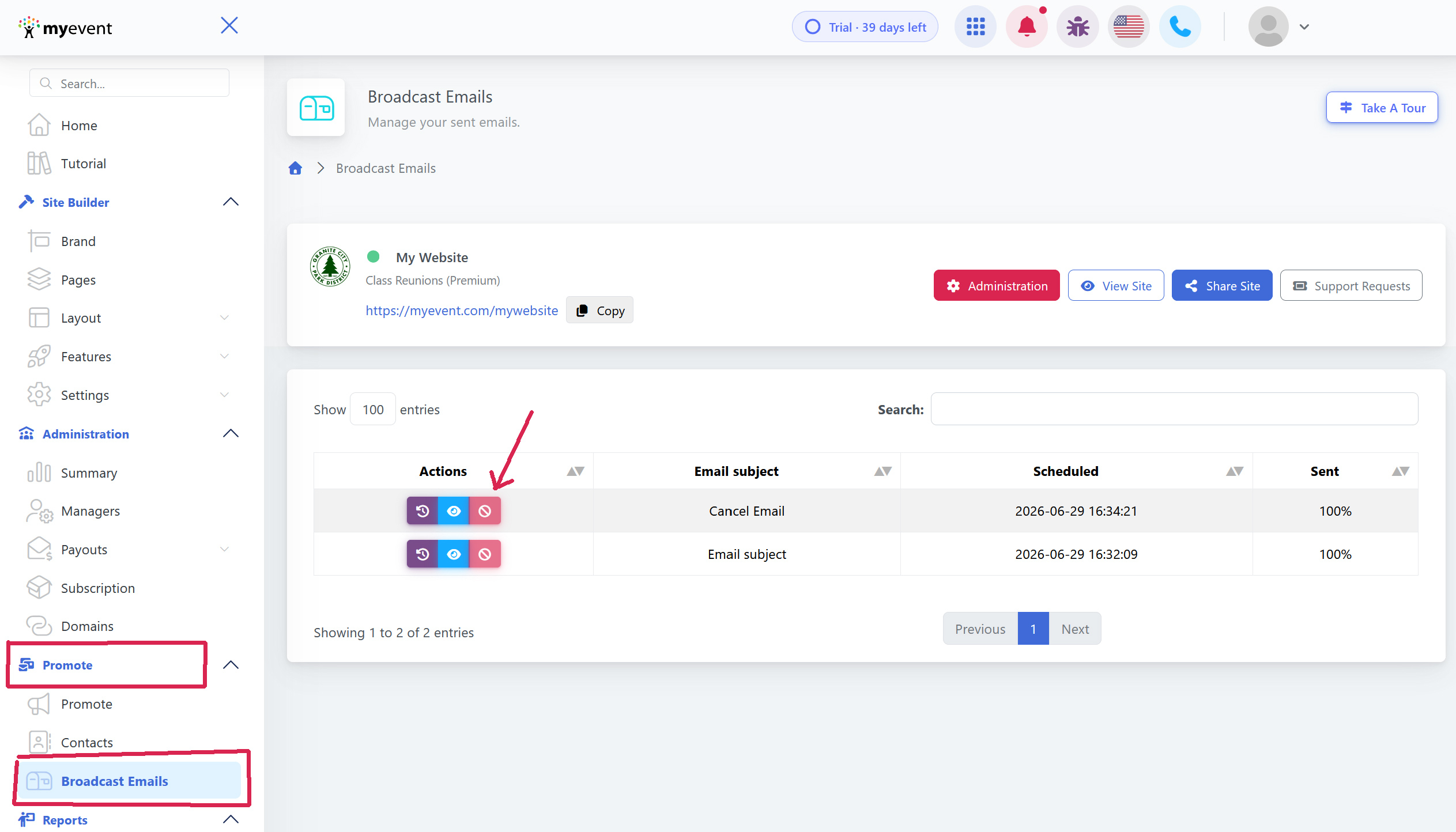
→ Log in to your dashboard, and go to Promote -> Broadcast Emails
→ Locate the email in the queue.
→ Click Cancel, the button will only be active before the email batch is sent
Click in the confirm toggle to cancel the email batch. 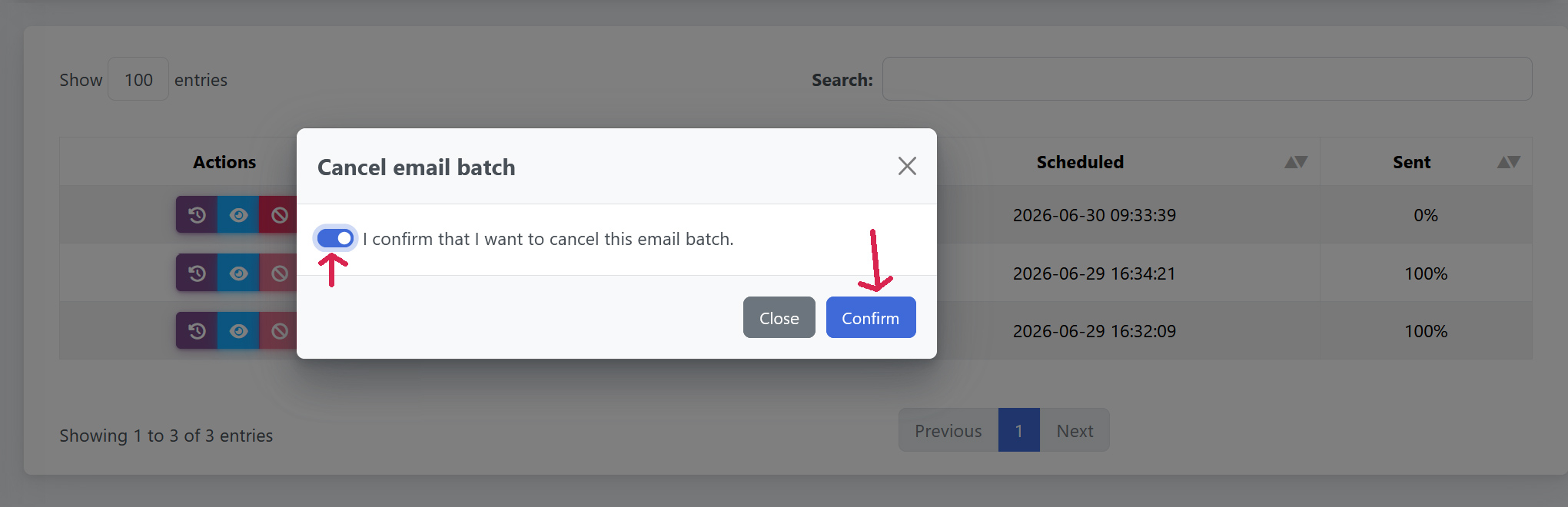
Once canceled, the email will appear with a strikethrough in the list.
