

If you no longer need your MyEvent account, you can delete it yourself from your Account page. Deleting your account is permanent and cannot be undone.
Before you start
There are a few important things to take care of before deleting your account:
- Request a payout first
If any site you own still has a balance, you'll see: "Your account cannot be deleted while one or more owned sites still have a balance. Please request a payout first." - Download anything you want to keep
Save important reports, contacts, photos, or other information before deleting your account. You won't be able to retrieve it afterwards.
- Know your password
You'll need your current password to confirm the deletion. If you signed up with Google or Facebook, or have forgotten your password, use the Reset it here link in the confirmation window (or reset it from the login page) first.
-
Consider your websites
All sites you own will be taken offline. If someone else should continue managing one of them, contact our support team before deleting your account.
How to delete your account
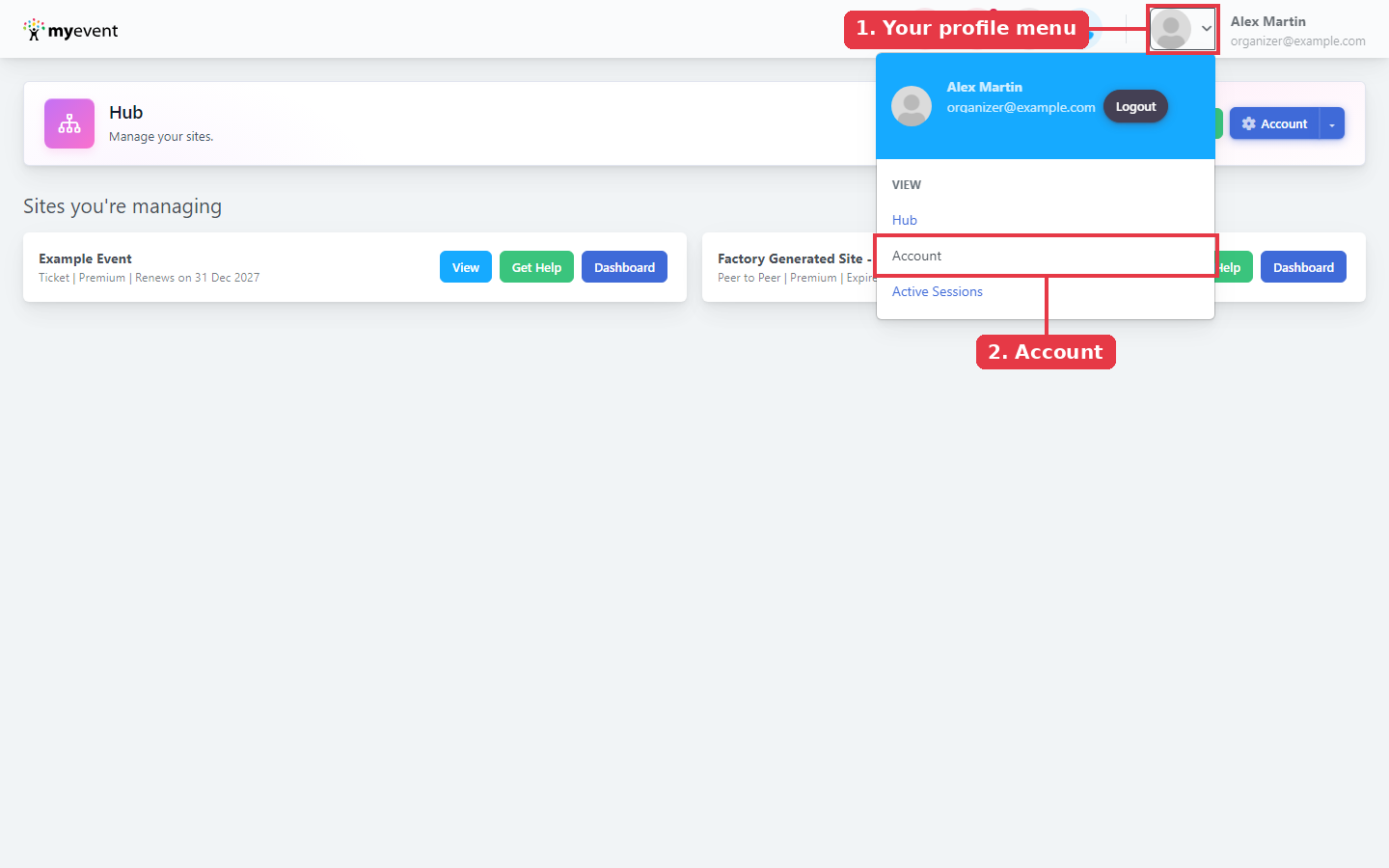
Step 1: Open your Account page
Click your profile picture/name in the top-right corner, then click Account.
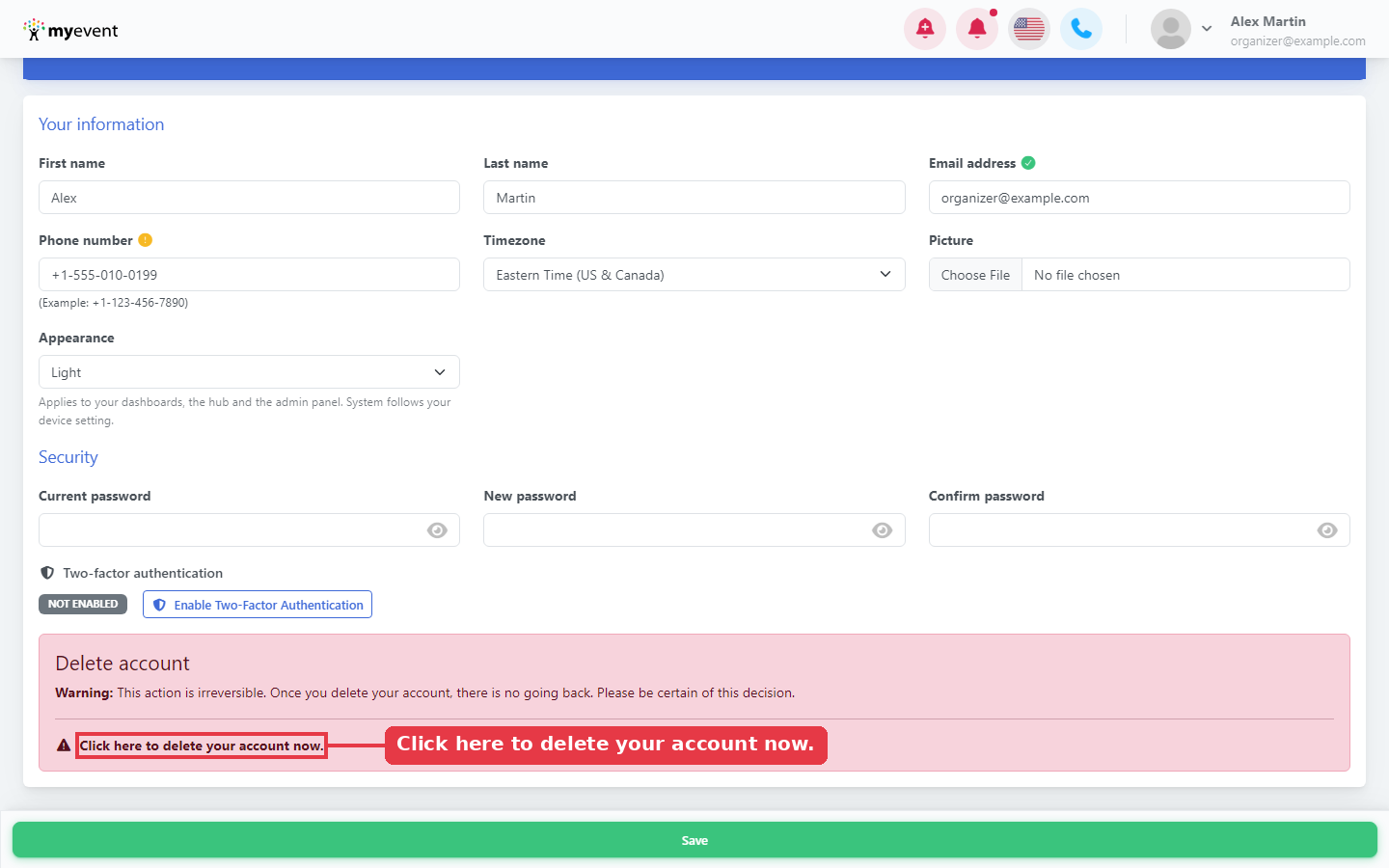
Step 2: Find the Delete account section
Scroll to the bottom of the page to the red Delete account box, then click Click here to delete your account now.
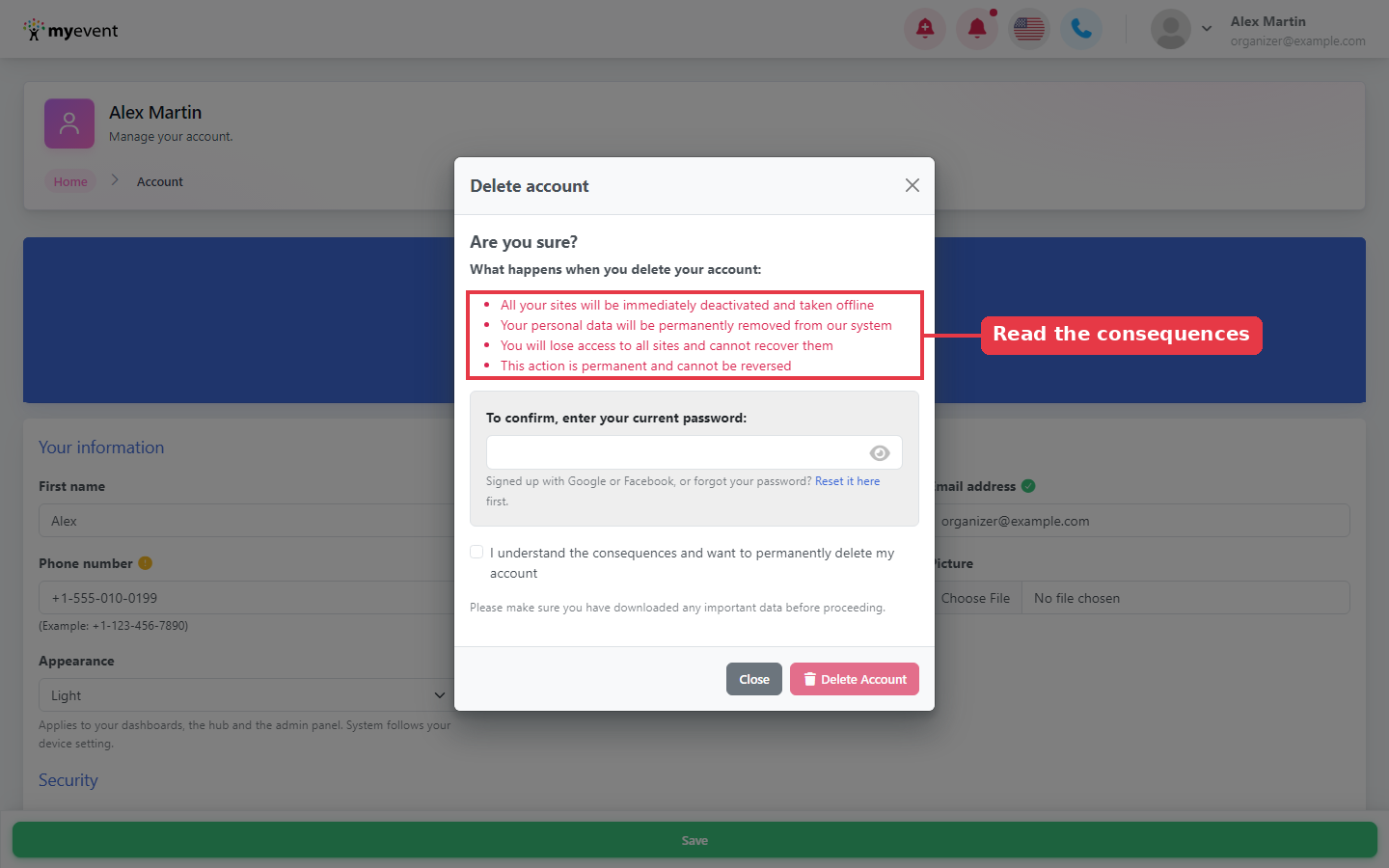
Step 3: Read what will happen
The Delete account window lists what happens when you delete your account:
- All your sites will be immediately deactivated and taken offline
- Your personal data will be permanently removed from our system
- You will lose access to all sites and cannot recover them
- This action is permanent and cannot be reversed
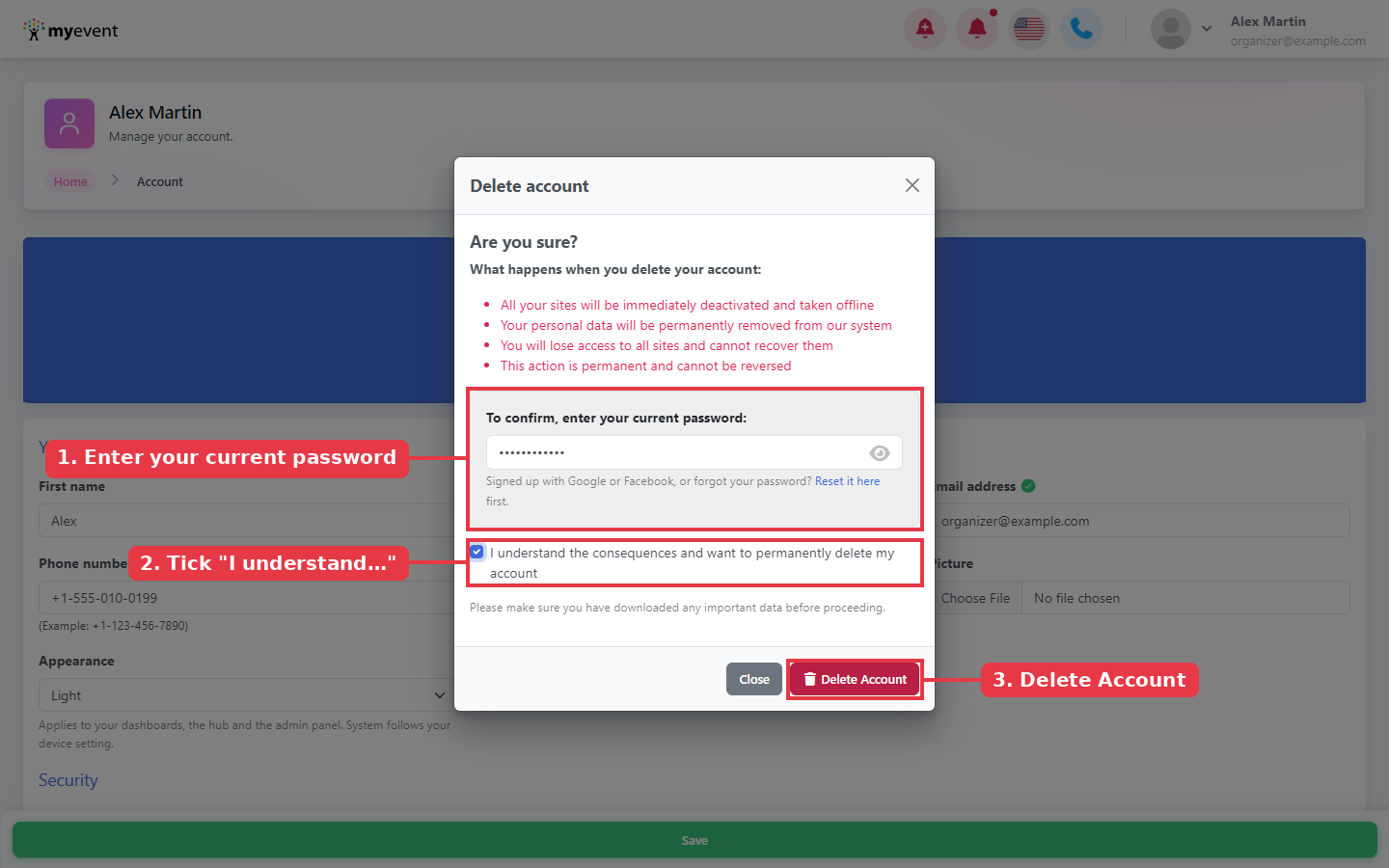
Step 4: Confirm and delete
Under To confirm, enter your current password:, type your password. Tick I understand the consequences and want to permanently delete my account. The Delete Account button turns on; click it to delete your account. Click Close if you changed your mind.
Once the deletion is complete, you'll be signed out and taken back to the login page with the following confirmation message:
"We are sorry to see you go. Your profile has been deleted successfully. We hope to see you again soon."
What happens to your information?
After your account is deleted:
- Paid subscriptions on the sites you own are cancelled so you aren't billed again, and any scheduled emails that haven't gone out are cancelled.
- Your donations, tickets, profiles and comments stay on the sites for the organizers' records, but your name is replaced with "Delete Requested" and your email is removed.
- A note about the deletion is added to each site you own.
Need help? Contact our support team before deleting and we'll be happy to help.