

Comment créer un compte sur MyEvent
Commencer sur MyEvent est simple et rapide. Suivez les étapes ci-dessous pour créer votre compte et commencer à construire votre site web.
Étape 1 : Accédez à la page de connexion
Sur la page d'accueil de MyEvent, cliquez sur Connexion dans le coin supérieur droit de l'écran.
Étape 2 : Choisissez comment vous souhaitez vous connecter
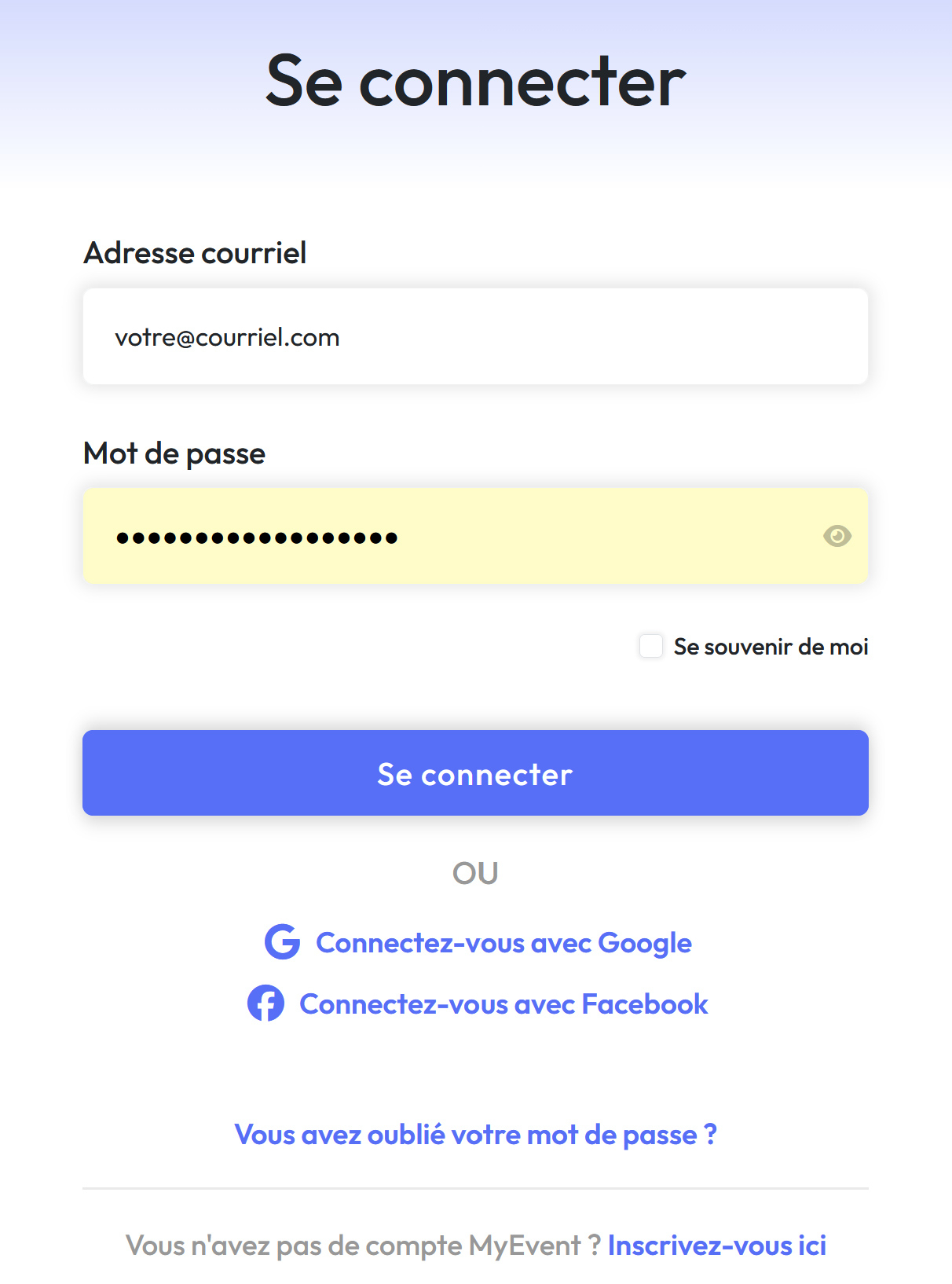
-
Vous avez déjà un compte ? Il vous suffit de saisir vos identifiants pour vous connecter.
-
Vous avez oublié votre mot de passe ? Cliquez sur Vous avez oublié votre mot de passe ? et suivez les instructions pour le réinitialiser.
-
Nouveau sur MyEvent ? Cliquez sur Inscrivez-vous ici pour créer un nouveau compte.
-
Vous pouvez également vous inscrire ou vous connecter avec Google ou Facebook pour une configuration plus rapide.
Étape 3 : Commencez à créer votre site web
Une fois connecté, vous pourrez immédiatement créer et gérer votre site web MyEvent.