Avant de créer des pages, il est important de comprendre que le nombre de pages que vous pouvez créer dépend du forfait que vous avez.
Étape 1 : Vérifiez votre forfait
Chaque forfait inclut une limite de pages spécifique. Si vous êtes sur un forfait Premium, vous aurez accès à la création de plus de pages que dans les autres formules.
Étape 2 : Accédez à la section Pages
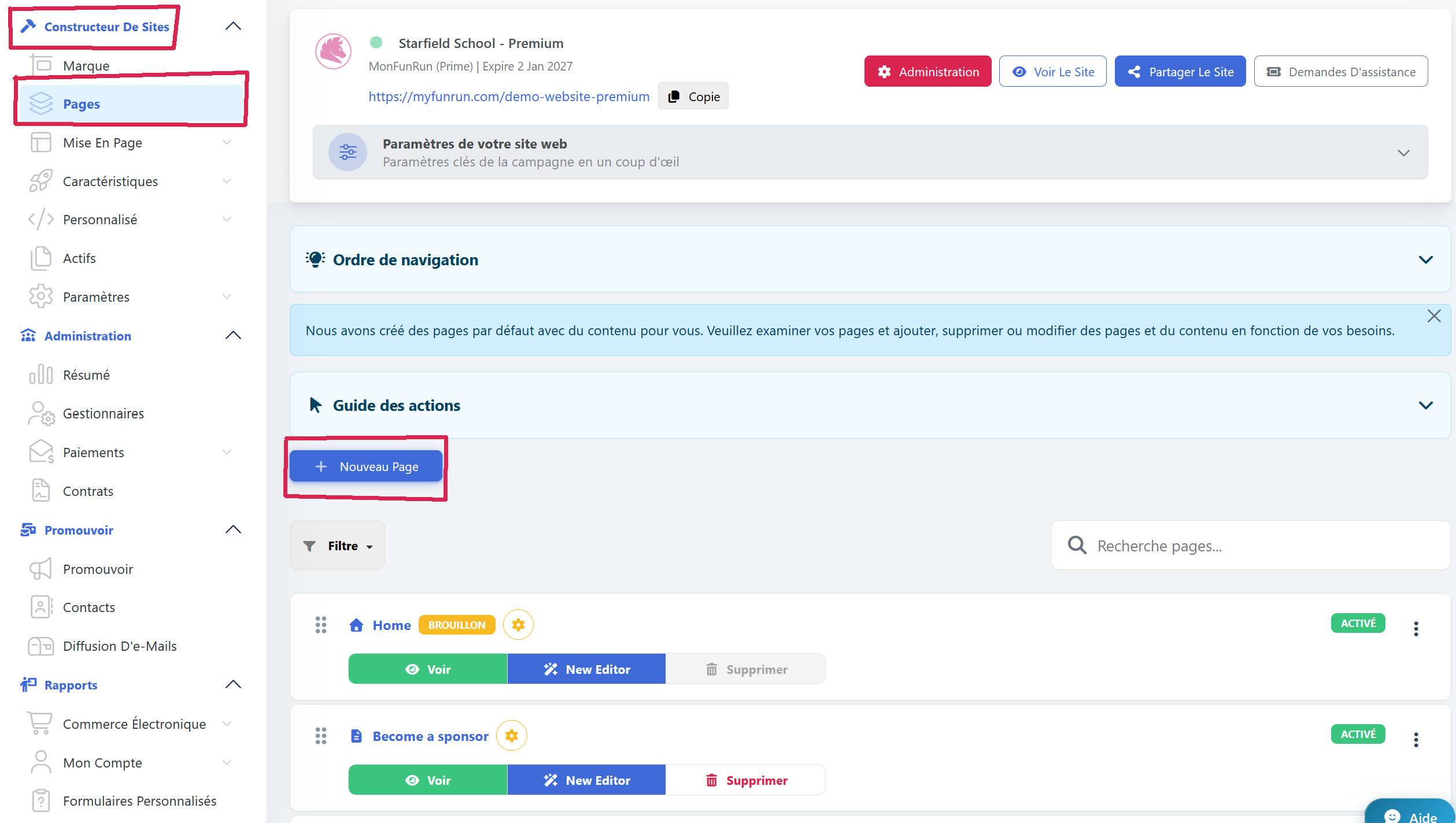
Allez dans Constructeur de sites > Pages.
Étape 3 : Créez une nouvelle page
Cliquez sur Nouvelle Page pour créer une page, en vous assurant de rester dans la limite de pages autorisée par votre forfait.
Étape 4 (facultatif) : Récupérez une page supprimée
Si une page a été supprimée par erreur, cliquez sur Pages supprimées sur le côté droit pour restaurer la page ainsi que tout son contenu.
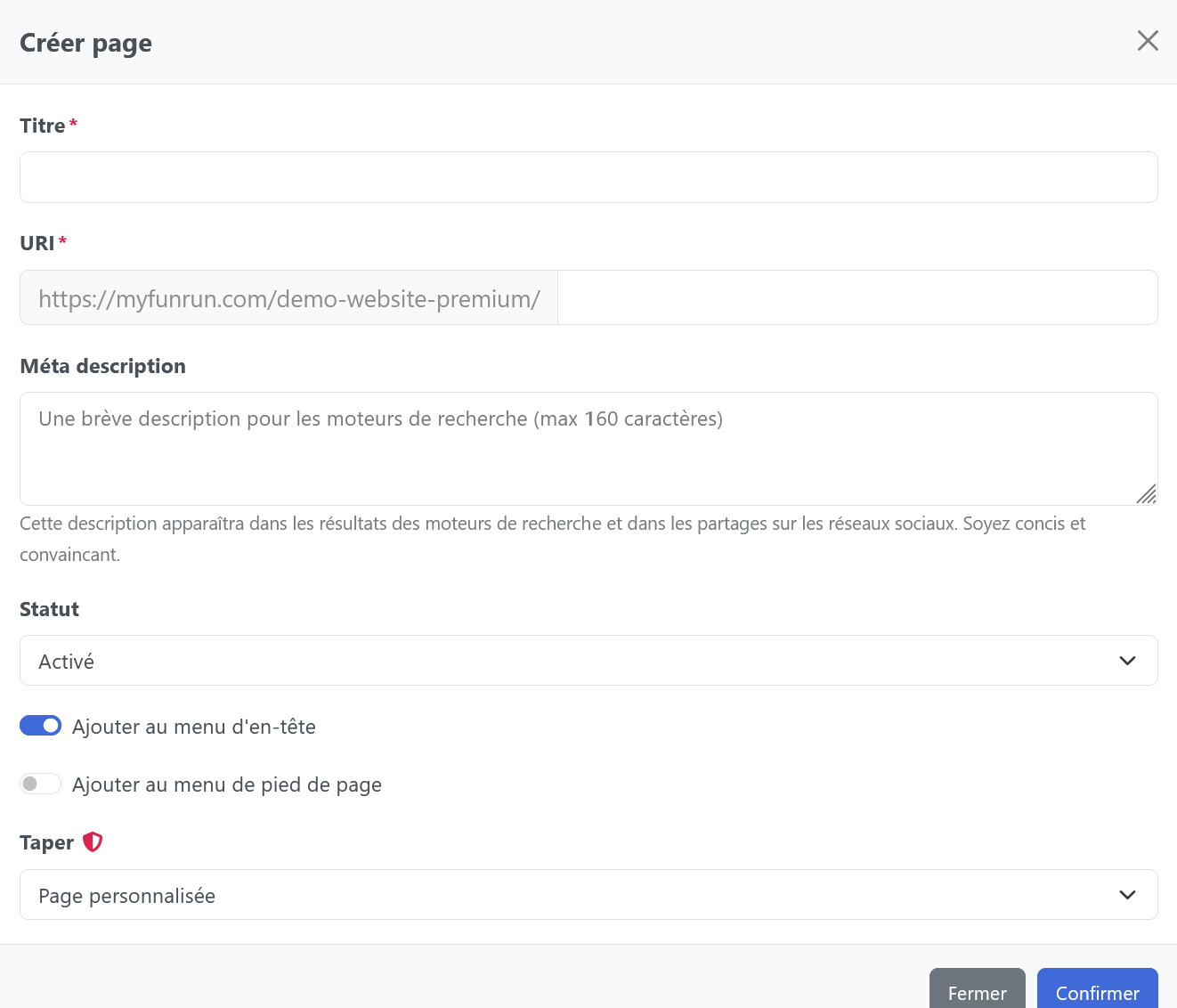
Dans le formulaire de création, saisissez le titre de votre nouvelle page et l'URI, qui correspond à l'URL de la page.
Si vous souhaitez désactiver la page et la masquer au public, vous pouvez cliquer sur Status et sélectionner Activé ou Desactivé.