

Photos can be uploaded to an album either automatically or manually, depending on your approval settings.
How Photo Uploads Work
-
When photos are uploaded to an album, they can appear instantly on your website.
-
Alternatively, you can enable an approval requirement, which places uploaded photos in quarantine until an organizer reviews them.
Enable or Disable Photo Approval
Follow the steps below to manage this setting:
-
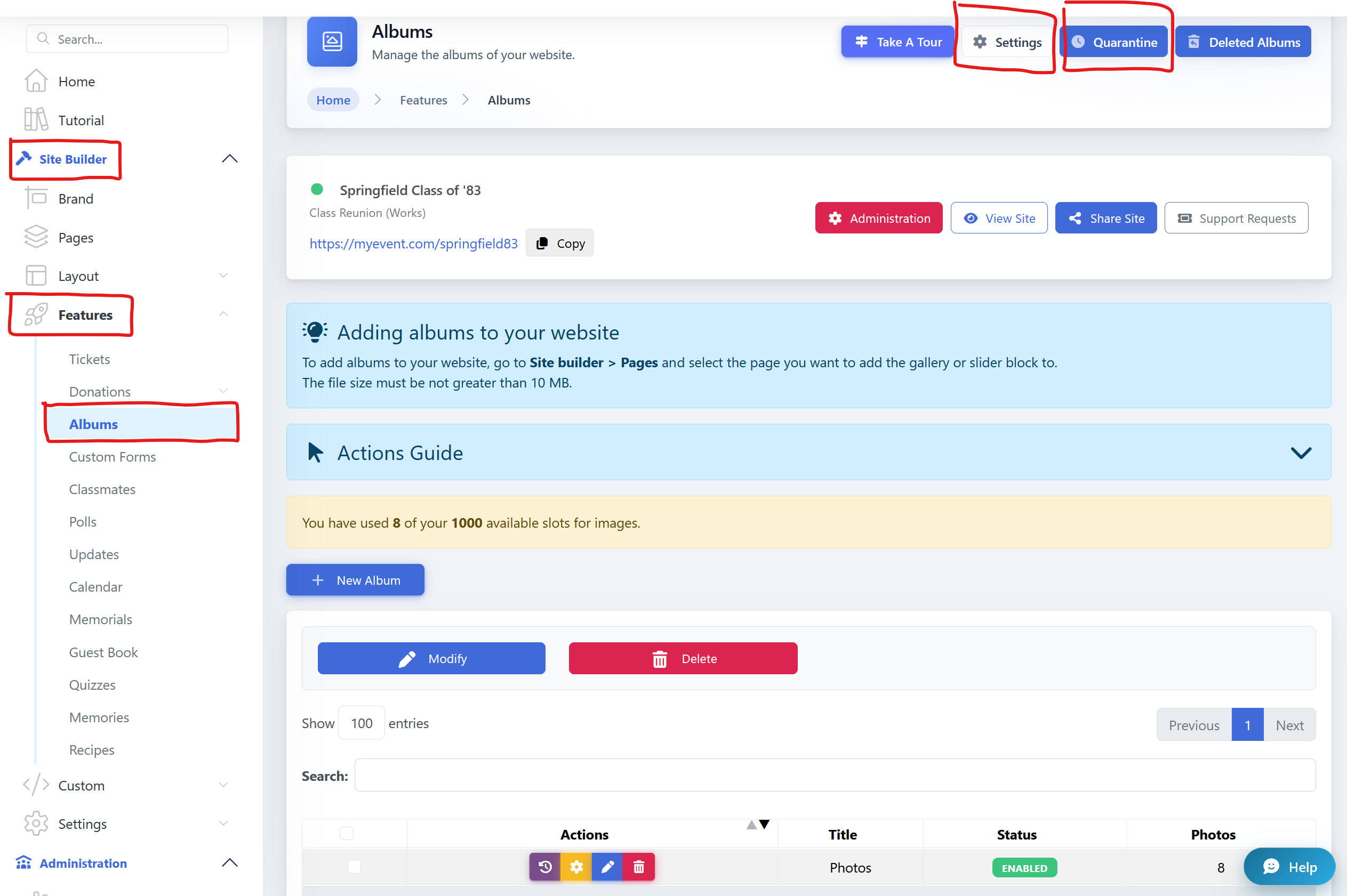
Go to Site Builder
-
Navigate to Features
-
Select Albums
-
Open Settings
-
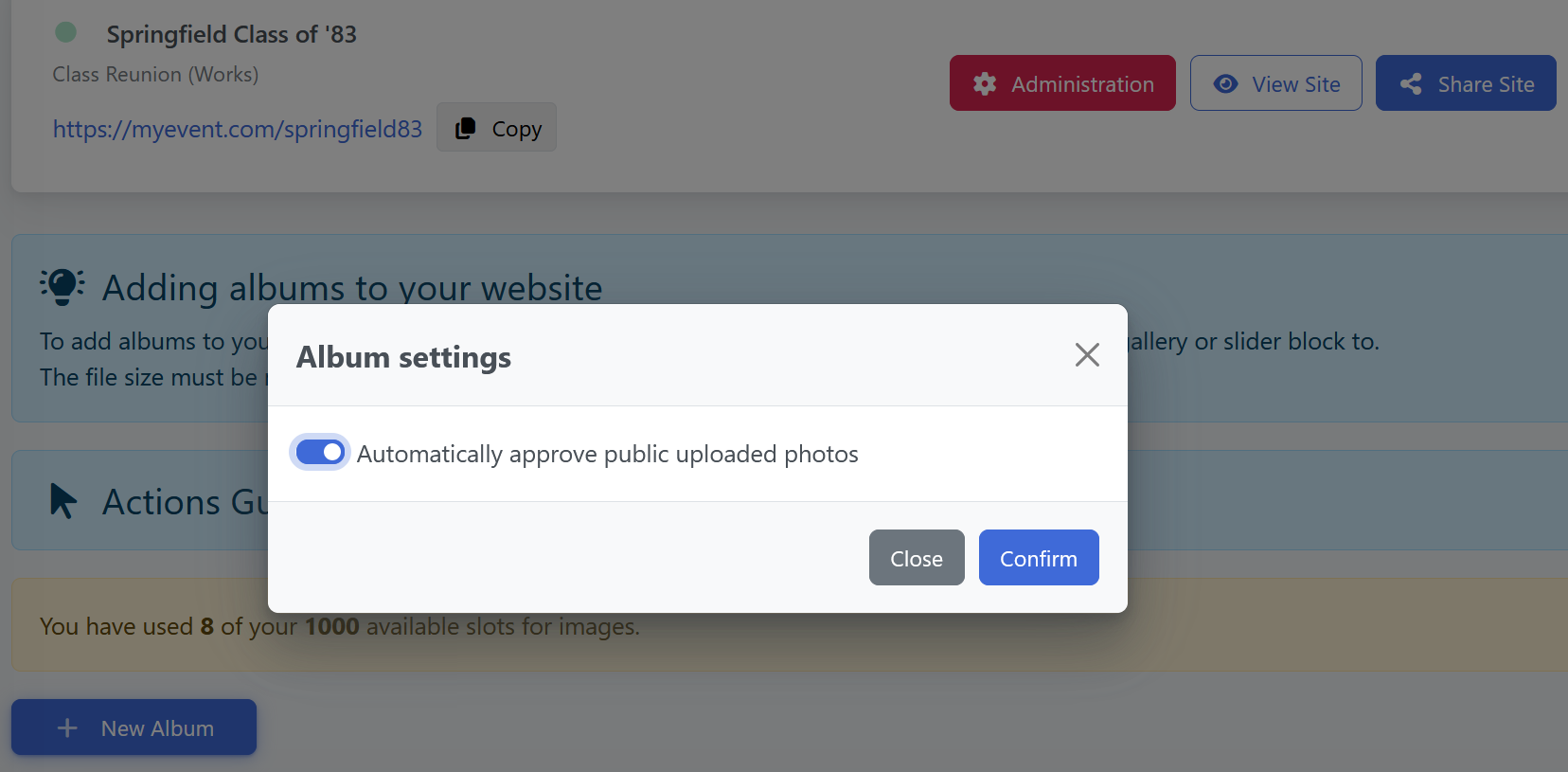
Enable or disable the Require Approval option
What Each Option Does
-
Approval Disabled
Photos appear immediately on the website after upload. -
Approval Enabled
Photos are placed in Quarantine, where an organizer must manually approve them before they go live.