

Las fotos se pueden cargar en un álbum automáticamente o manualmente, según tu configuración de aprobación.
Cómo funcionan las cargas de fotos
-
Cuando se cargan fotos en un álbum, pueden aparecer al instante en tu sitio web.
-
También puedes habilitar un requisito de aprobación, que coloca las fotos cargadas en cuarentena hasta que un organizador las revise.
Activar o desactivar la aprobación de fotos
Sigue los pasos a continuación para gestionar esta configuración:
-
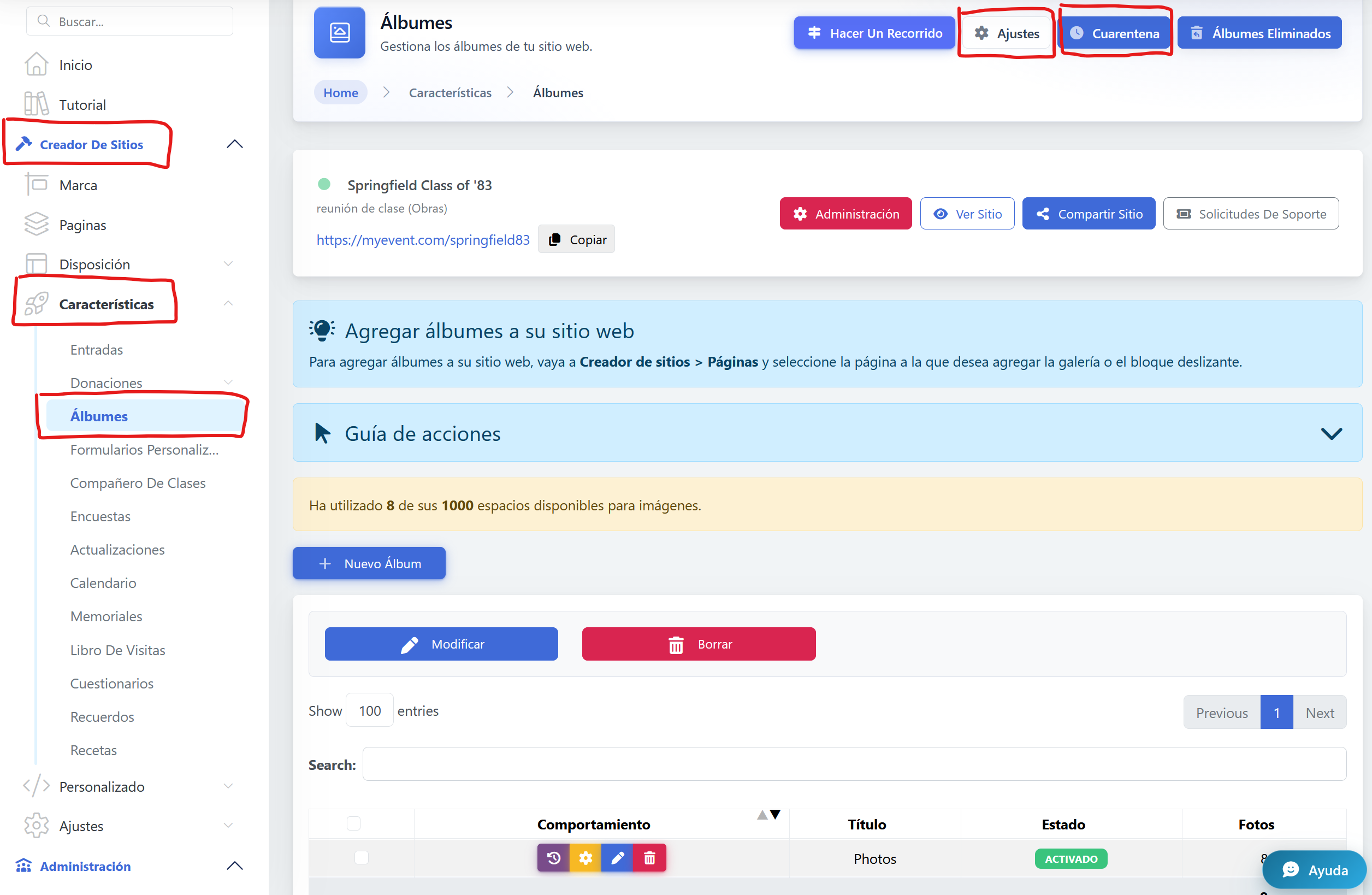
Ve a Creador de Sitios
-
Navega hasta Característicass
-
Selecciona Álbumes
-
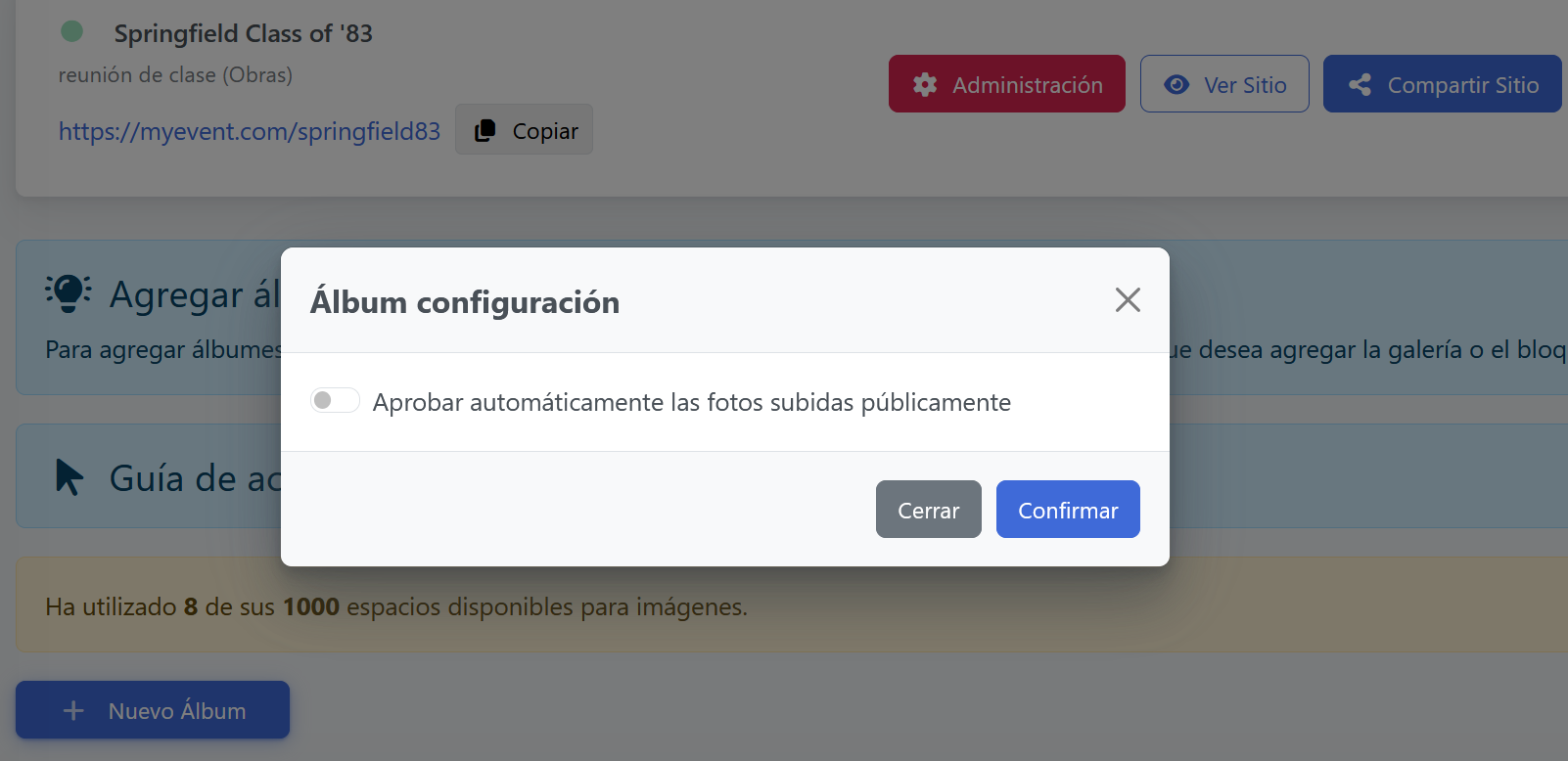
Abre Ajustes
-
Activa o desactiva la opción Requiere Aprobación
Qué hace cada opción
-
Aprobación desactivada
Las fotos aparecen inmediatamente en el sitio web después de cargarse. -
Aprobación activada
Las fotos se colocan en Cuarentena, donde un organizador debe aprobarlas manualmente antes de publicarlas.