

¿Necesitas cancelar un correo masivo antes de que se envíe?
¡No te preocupes!
Tienes una ventana de 10 minutos para detenerlo antes de que se envíe.
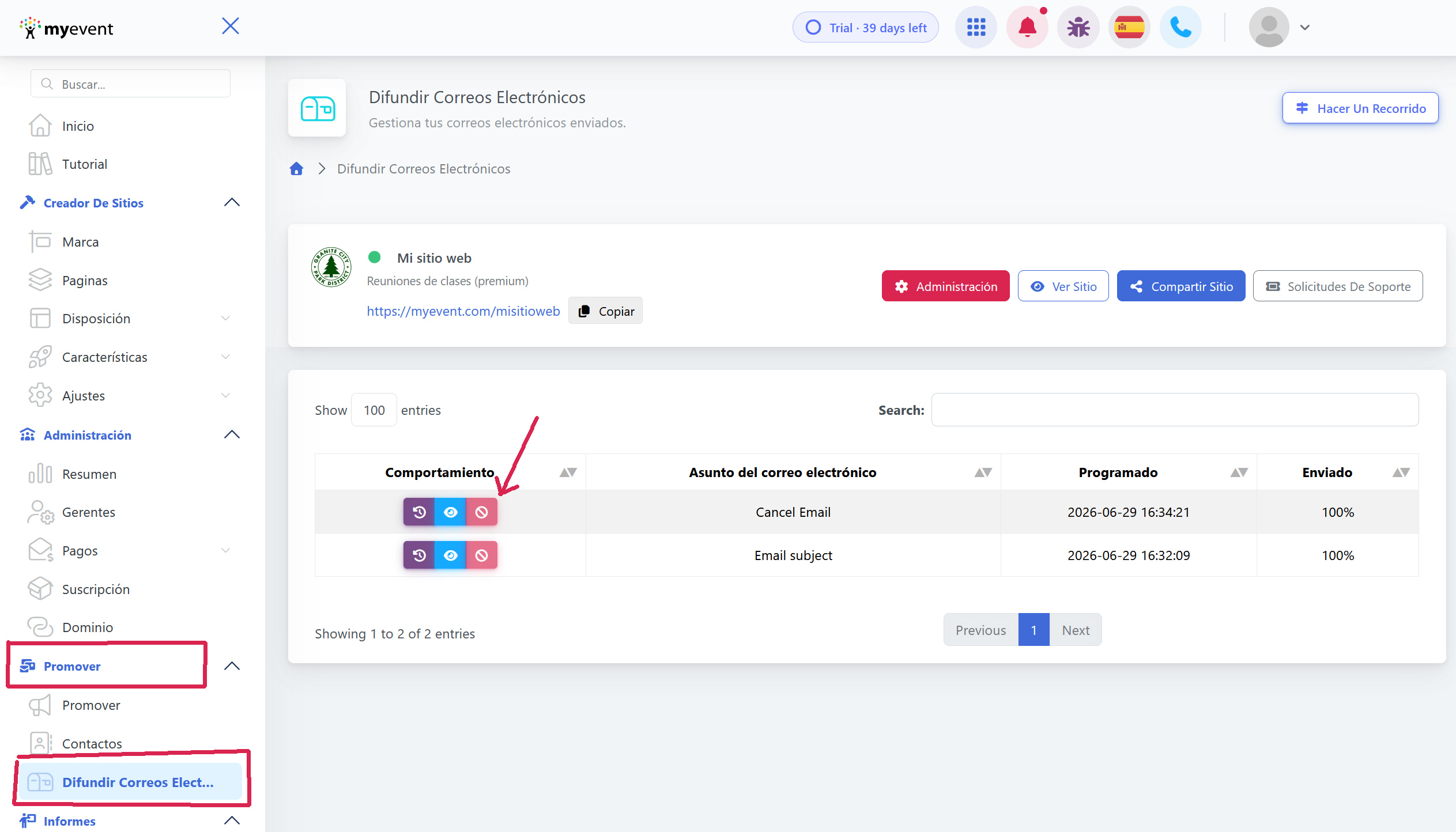
→ Inicia sesión en tu panel, y ve a Promote -> Broadcast Emails
→ Ubica el correo en la cola.
→ Haz clic en Cancel, el botón solo estará activo antes de que se envíe el lote de correos
Haz clic en el interruptor confirm para cancelar el lote de correos. 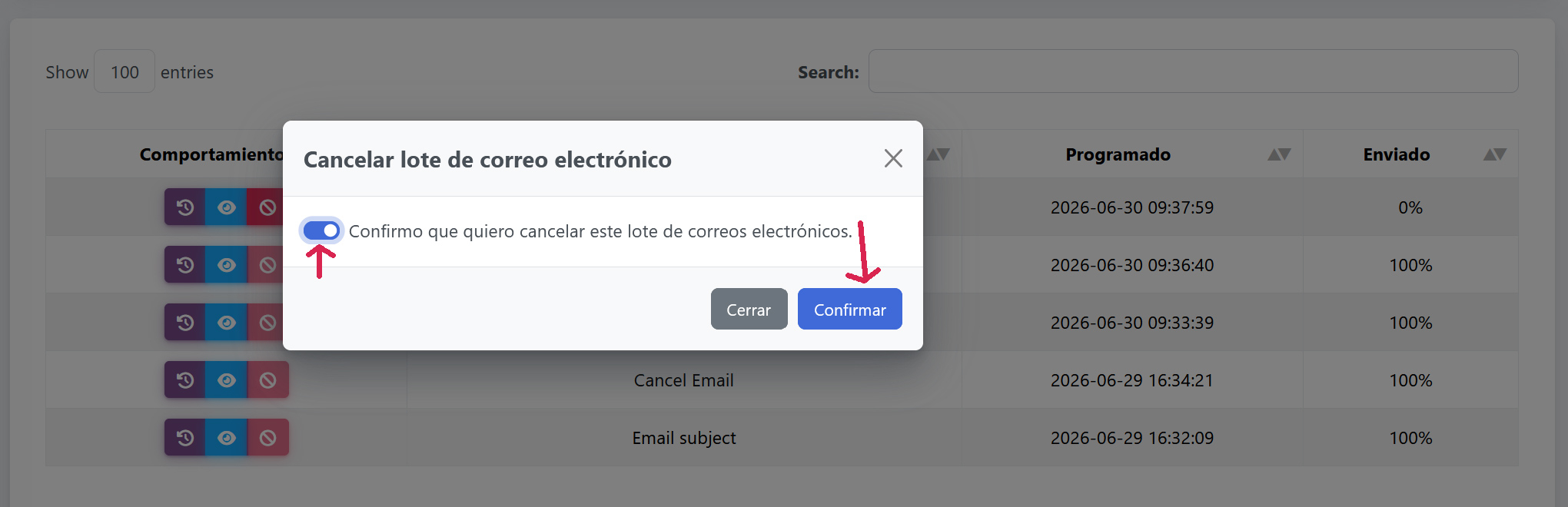
Una vez cancelado, el correo aparecerá tachado en la lista.
