

Besoin d’annuler un e-mail de diffusion avant son envoi ?
Pas de souci !
Vous disposez d’une fenêtre de 10 minutes pour l’arrêter avant qu’il ne soit envoyé.
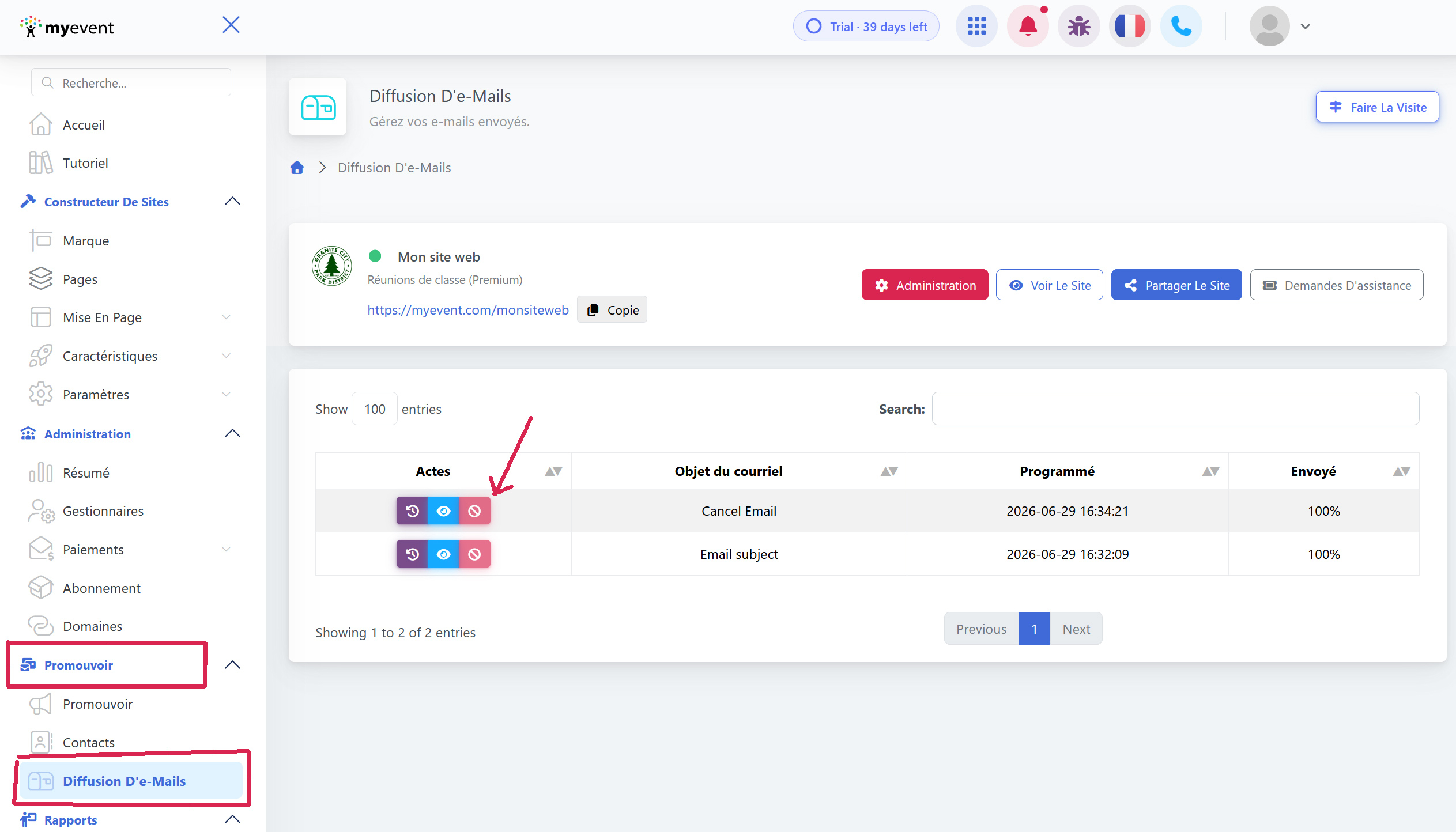
→ Connectez-vous à votre tableau de bord, puis allez dans Promote -> Broadcast Emails
→ Localisez l’e-mail dans la file d’attente.
→ Cliquez sur Cancel, le bouton ne sera actif que avant l’envoi du lot d’e-mails
Cliquez sur le bouton de bascule confirm pour annuler le lot d’e-mails. 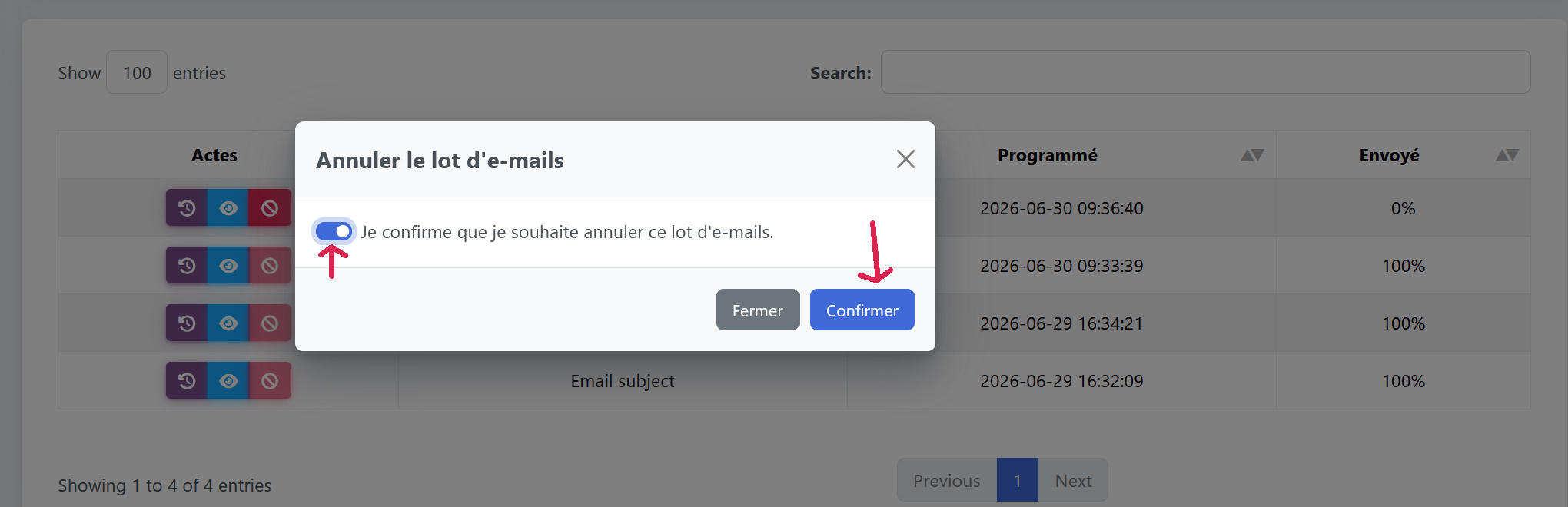
Une fois annulé, l’e-mail apparaîtra avec un texte barré dans la liste.
