If you aren't organizing on your own, you can easily add a co-organizer or manager to help run your event or fundraiser.
Important Note: Only the site owner can enter or modify payout information, and only the site owner can request a payout. Managers have acces to everything else in the dashboard other than payout information.
Why add a co-organizer or manager?
- Split roles - website person and reports person (treasurer) can all access the dashboard
-
Managers can submit requests, review reports, and make updates
-
Communication stays clear and consistent
Requests received from individuals who are not listed as organizers or managers cannot be processed for privacy and security reasons.
To add a co-organizer or another manager:
1. Ask your co-organizer to create an account at MyEvent.com.
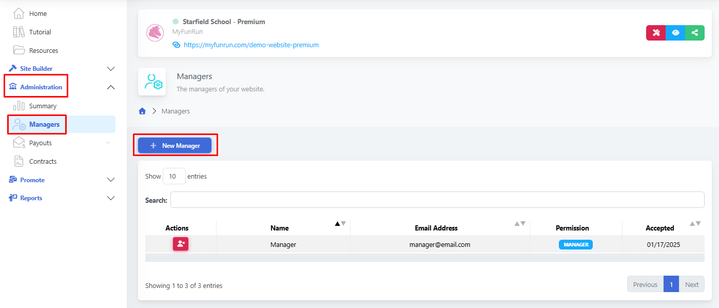
2. Once their account is active, you can invite them as a Manager directly through your MyEvent dashboard. Go to Administration → Managers.
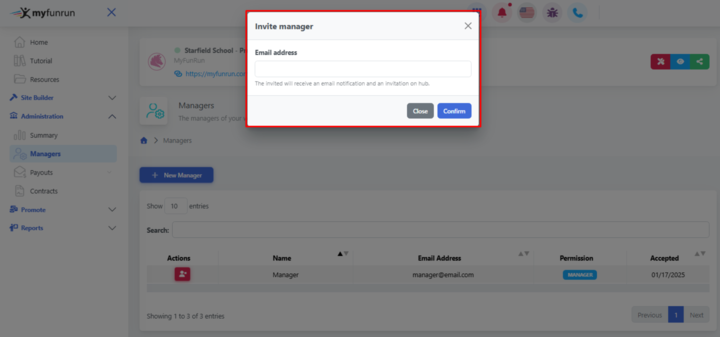
3. Add the e-mail of the designated person to be set as a manager to complete the process. An automated email invitation with instructions will be sent to the invited new manager when you submit.