La fonctionnalité de numérisation des billets vous permet de valider en toute sécurité les billets vendus via votre site web à l'aide de codes QR uniques. Une fois activée, chaque achat de billet génère automatiquement un billet numérique contenant les détails de la transaction et un code QR à scanner, qui est envoyé au client par e-mail au format PDF.
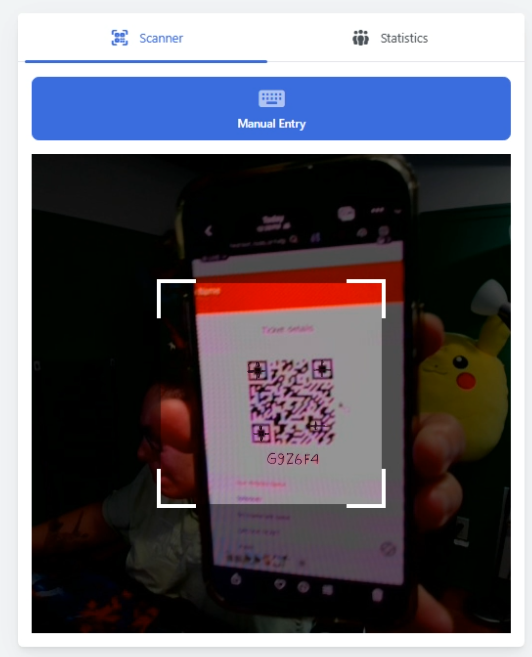
Lors de l'événement, une personne à l'entrée utilise son téléphone pour scanner les billets des invités afin de les « enregistrer ».
Note importante : Vous devez activer le scan des billets AVANT de vendre des billets. Tout billet vendu sans le scan des billets activé n'inclura pas de code QR et ne pourra donc pas être scanné à l'entrée.
Suivez les étapes ci-dessous pour activer la fonctionnalité de scan des billets pour les billets vendus sur votre site web.
1. Ouvrez votre Constructeur de sites
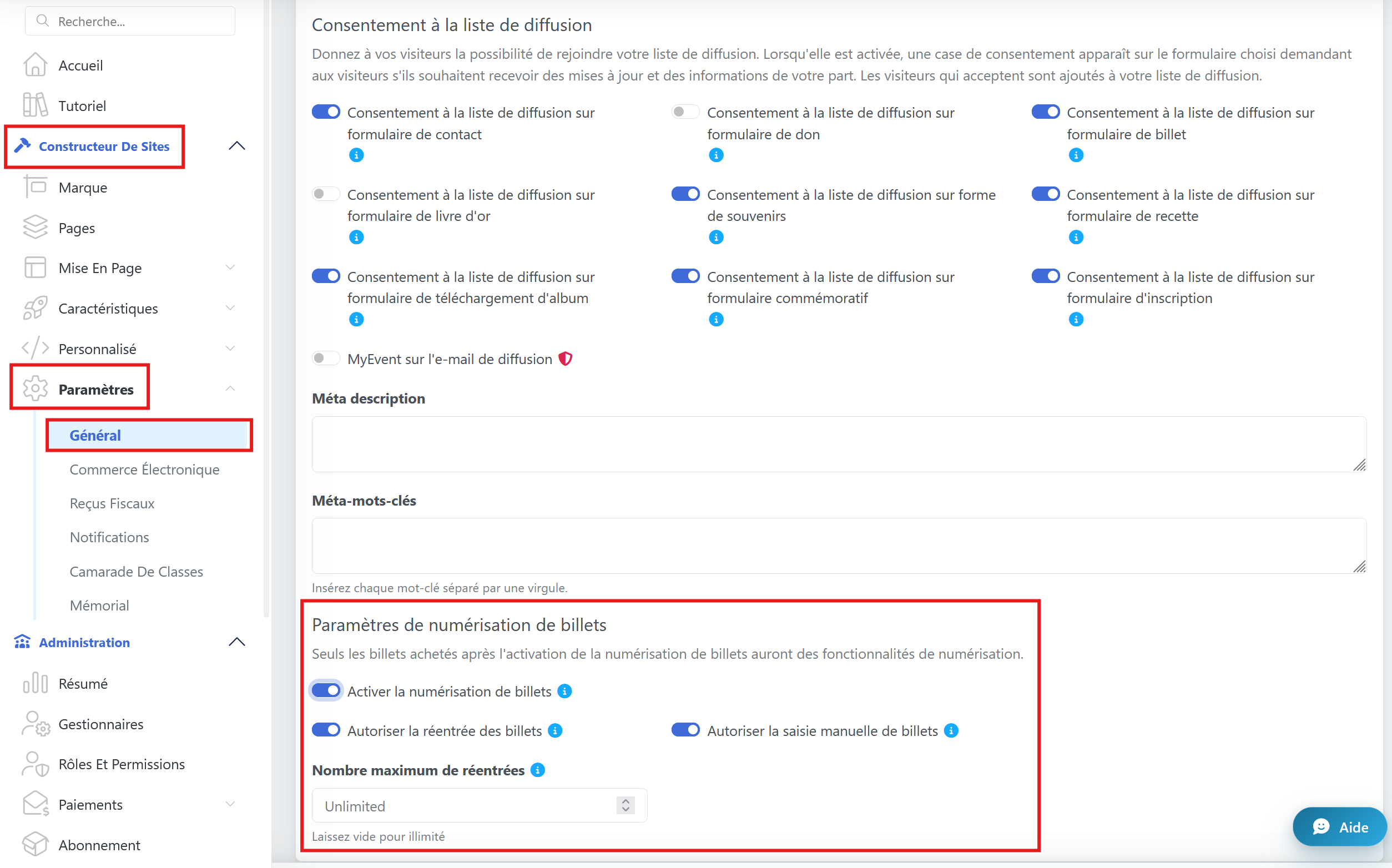
Connectez-vous à votre panneau d'administration et allez dans Constructeur de sites -> Paramètres -> Général.
Trouvez l'option Numérisation des billets et mettez-la sur ON.
Rentrée des billets = Autorisez les participants à sortir puis à rentrer à nouveau dans l'événement. Le personnel peut marquer les billets comme temporairement sortis et les scanner de nouveau pour une réadmission. Définissez le nombre maximal de fois qu'un billet peut être rescanné. Laissez vide pour des réadmissions illimitées.
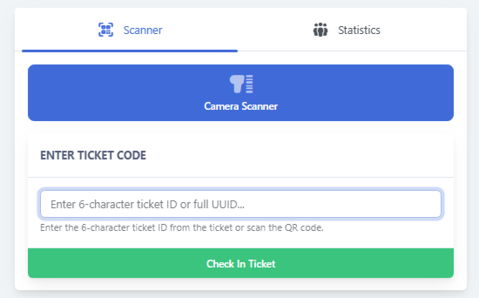
Saisie manuelle = Autorisez le personnel à saisir manuellement les codes des billets au lieu de scanner les codes QR.
Assurez-vous d'enregistrer vos modifications !
Que fait le client ensuite ?
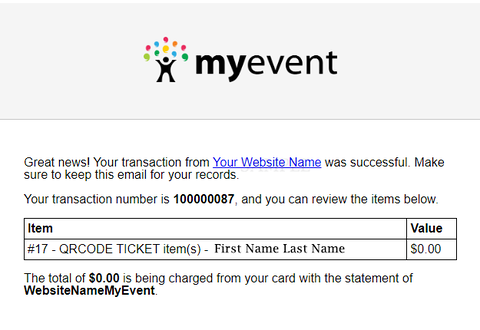
Les acheteurs de billets recevront automatiquement un e-mail de confirmation après l'achat d'un billet.
L'e-mail comprendra les détails du billet et les informations de transaction. Un billet PDF avec un code QR sera joint, mais uniquement si LE SCAN DES BILLETS ÉTAIT ACTIVÉ LORS DE LA VENTE DU BILLET.
Que se passe-t-il après l'activation du scan des billets ?
Le code QR peut être scanné à l'entrée ou au comptoir d'inscription pour valider le billet et « enregistrer » le participant.
Vos clients peuvent soit montrer le code QR sur leur téléphone, soit présenter la version PDF imprimée pour le scan.
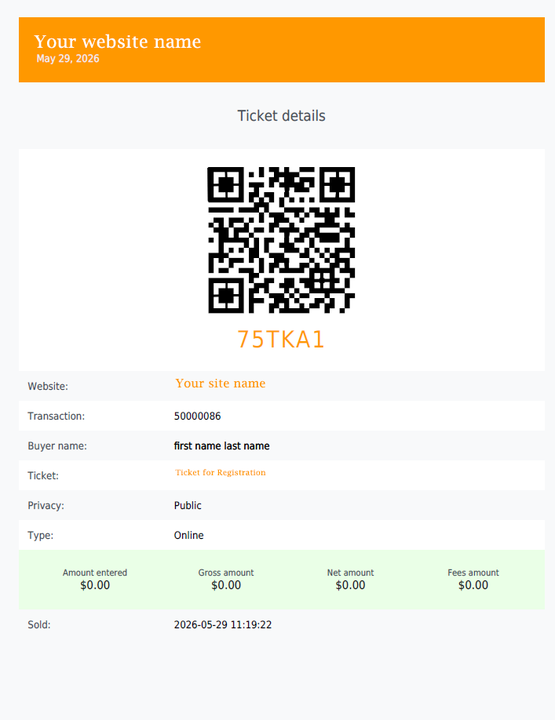
Que dois-je faire, en tant qu'organisateur, le jour de l'événement ?
Sous l'option Administration , vous trouverez la fonctionnalité Numériser le billet. Là, une option vous sera proposée pour activer votre caméra sur votre ordinateur de bureau, votre téléphone ou un autre appareil.
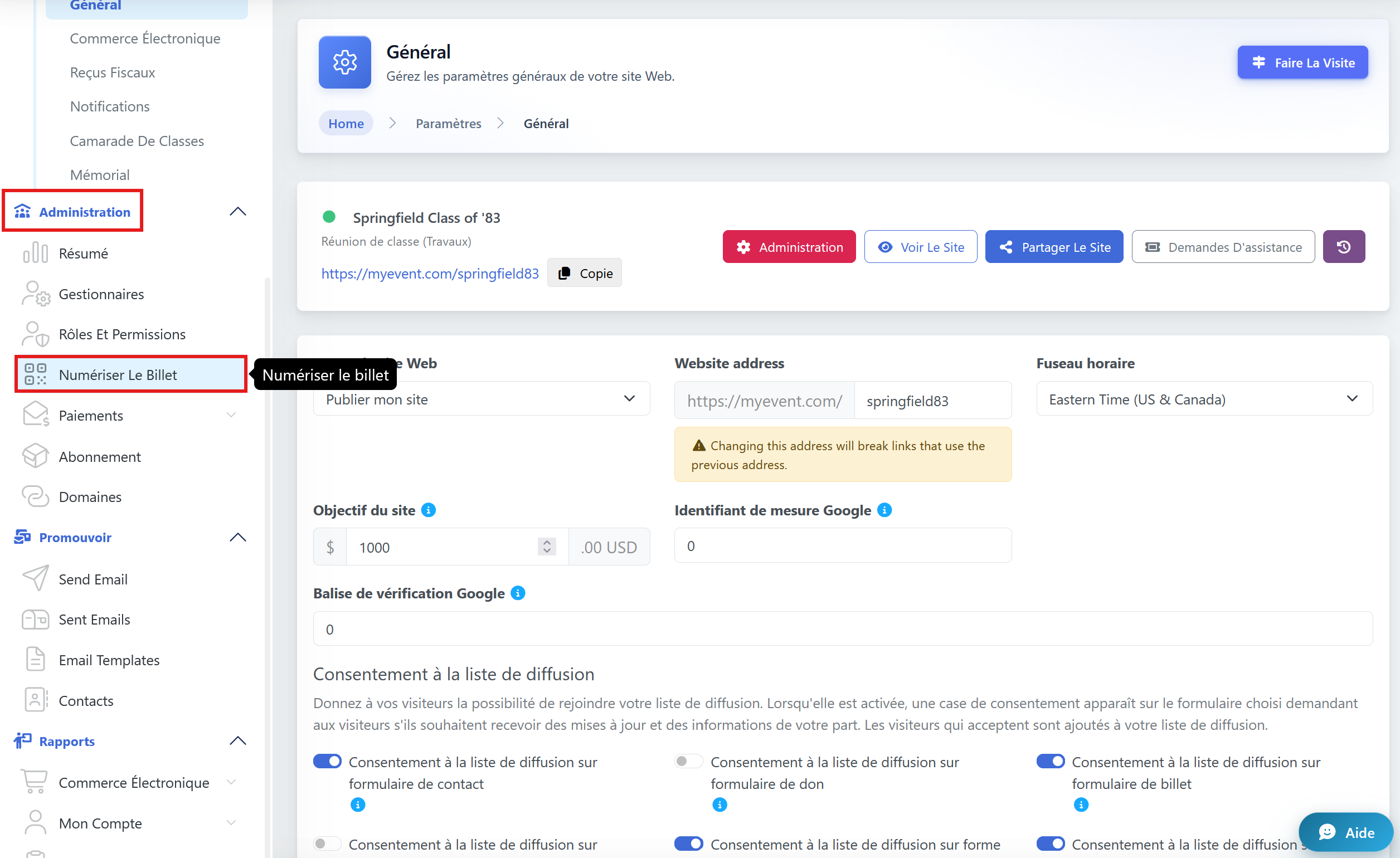
Étapes suivantes.
S'il ne peut pas être lu par votre appareil, vous pouvez saisir le code.
Une fois terminé, vous verrez une confirmation.
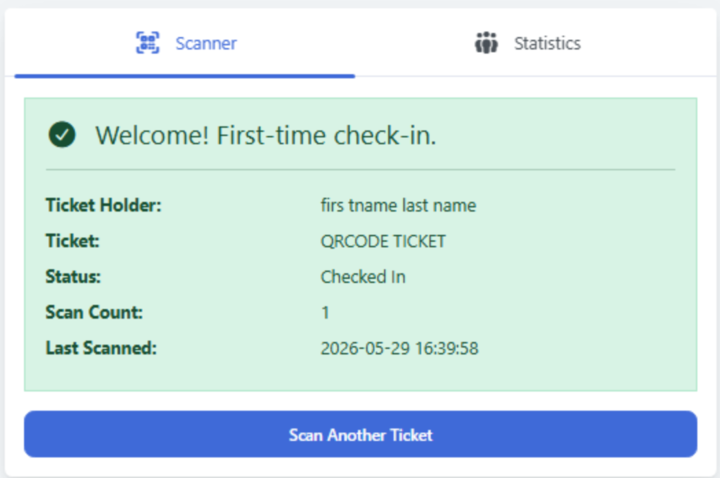
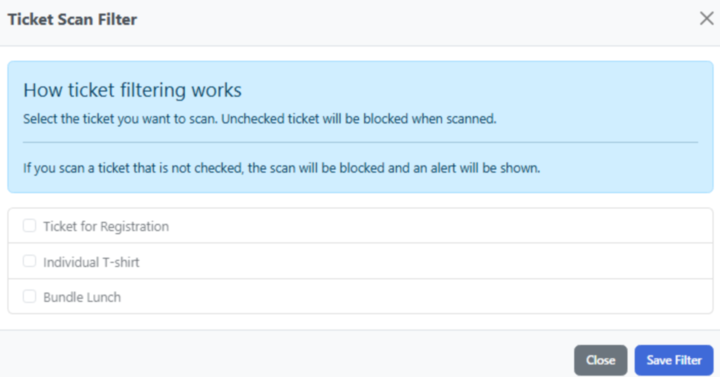
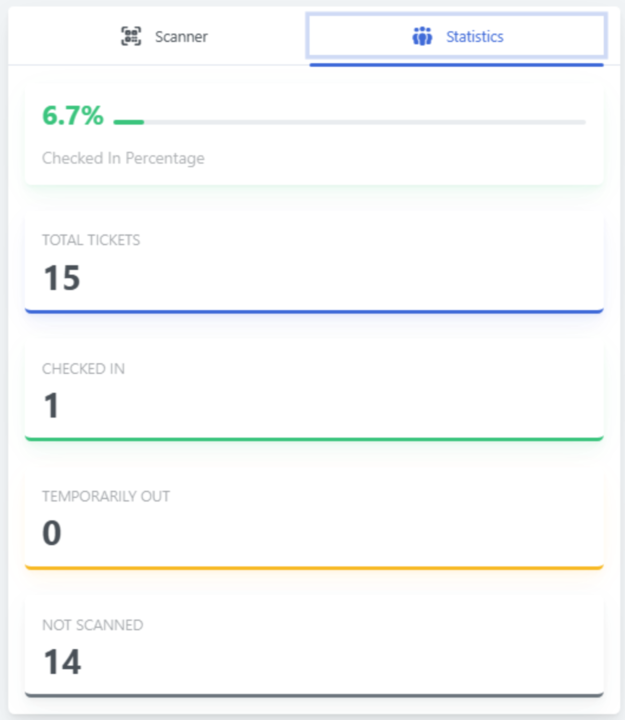
Vous avez la possibilité de filtrer vos autres billets pour les scanner un par un en conséquence ou consulter leurs statistiques.