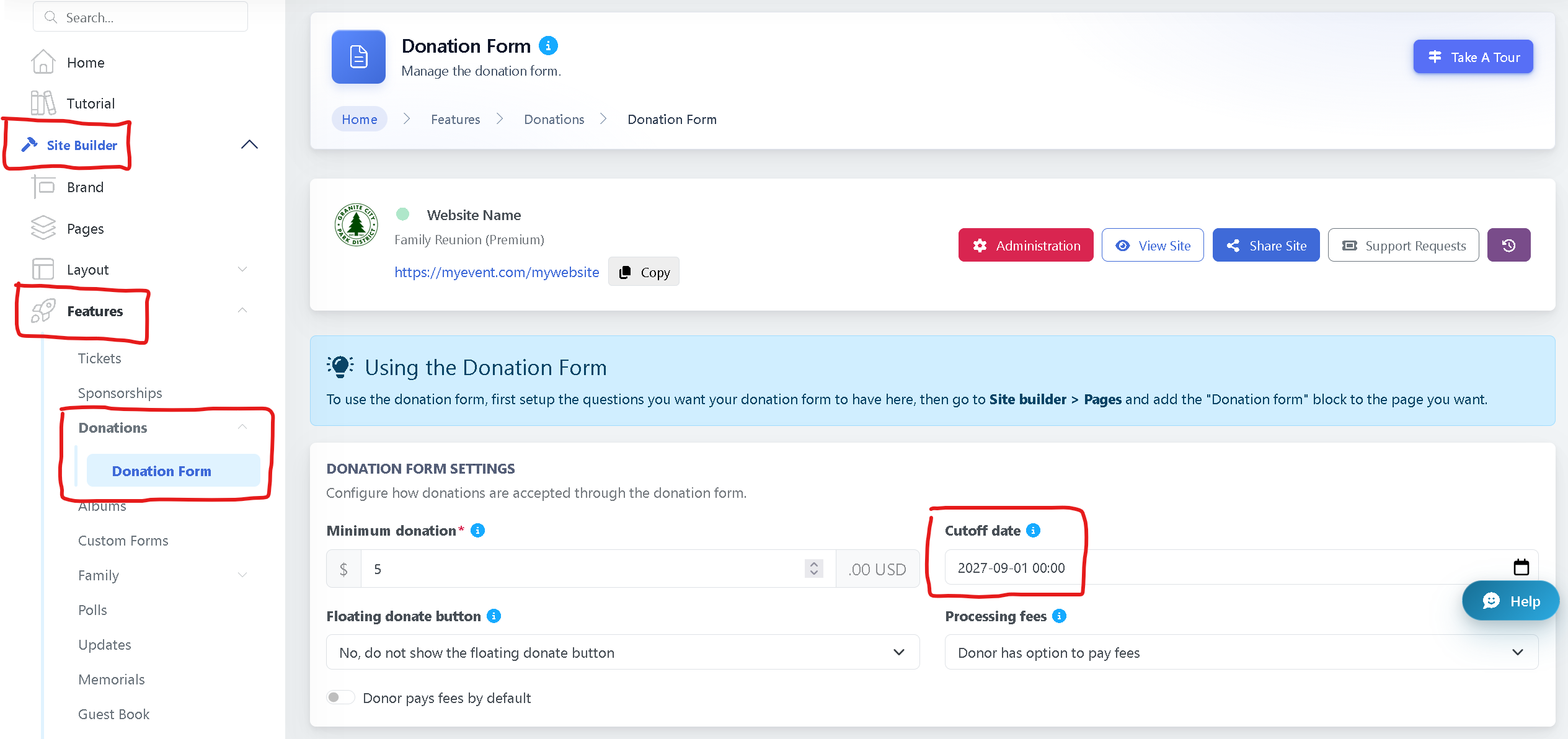
The cut-off date determines when your fundraising will officially end.
After this date, your page will no longer accept donations.
-
To set or update the cut-off date, go to Site Builder.
-
Navigate to Features.
-
Select Donations > Donation Form.
-
Set your desired Cut-off Date.
Once saved, donations will automatically stop after the selected date.