

¡El pago es la parte más emocionante de la recaudación de fondos!
Solo el propietario del sitio web puede solicitar un pago y configurar un método de pago. Los administradores deberán ponerse en contacto con el propietario para completar este paso en su nombre.
Paso 1) Configura tu método de pago
Ve a Administración → Pagos → Métodos de pago.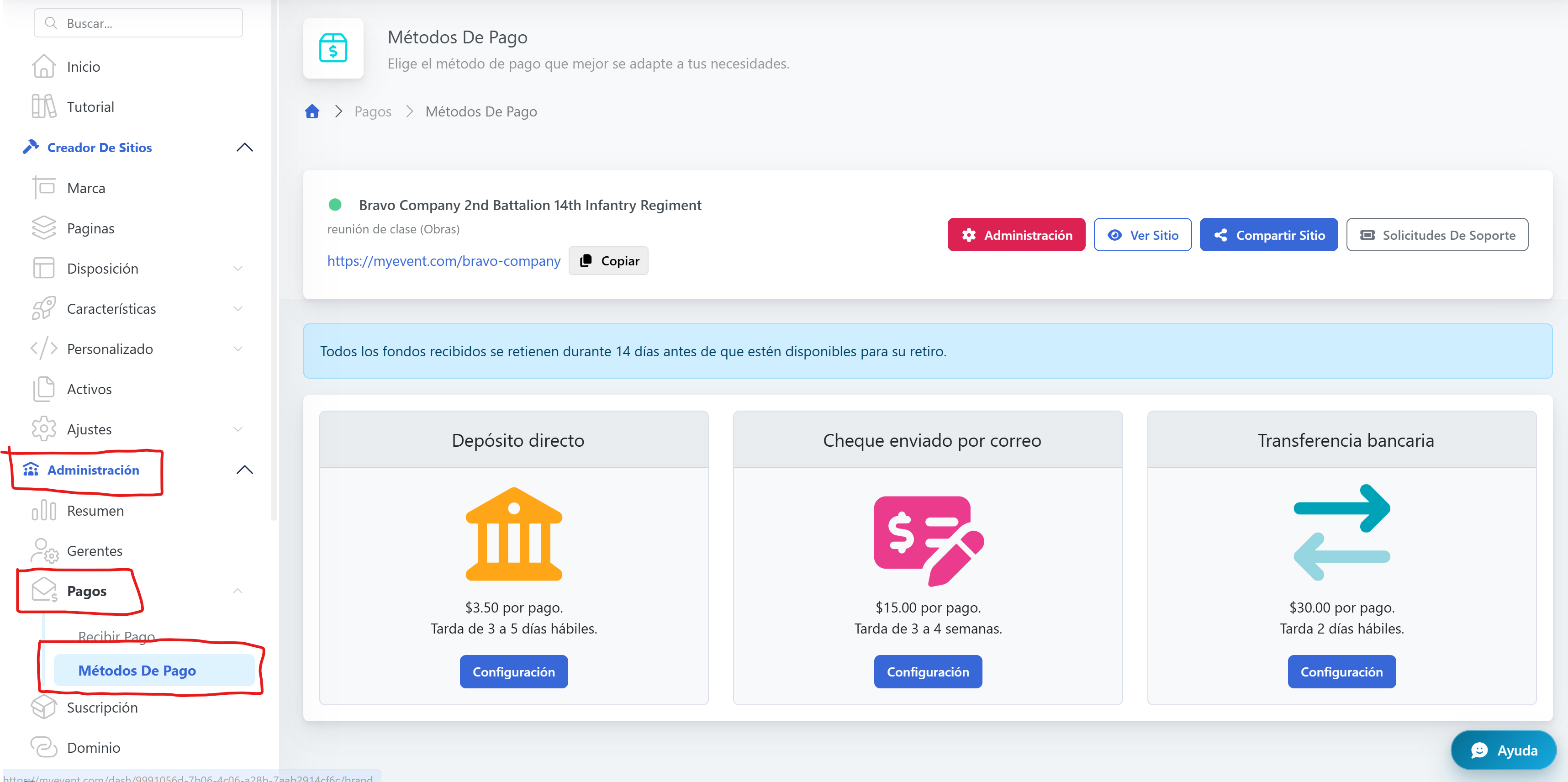
Paso 2 ) Cobra tu pago
Ve a Administración → Pagos → Cobrar y haz clic en el botón Pay me Now para solicitar tu pago.
Algunos de tus fondos están o pueden estar retenidos. Por motivos de prevención del fraude, cada transacción está sujeta a un período de retención de 14 días (o 10 días hábiles).
Eso le da al titular de la tarjeta de crédito tiempo suficiente para ver su estado de cuenta y la(s) transacción(es) realizada(s) en tu sitio. A veces, los donantes olvidan que hicieron una donación (o el cónyuge revisa el estado de cuenta y no reconoce el cargo) y luego presenta un contracargo sobre la transacción, por lo que existe este período de retención para intentar evitarlo.
La forma más fácil de saber cuándo los fondos estarán disponibles para el pago es ir a Informes → Comercio electrónico → Transacciones en tu panel, mirar la primera entrada (se ordena automáticamente de la más reciente a la más antigua) y sumar 14 días a la columna Fecha.